










Minecraft Online
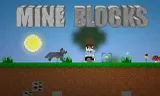
Minecraft Online is a Minecraft-style sandbox where you mine, build and plant trees in a generated block world. It is not Mojang's official version. It is a fan-made browser take on the idea, and it keeps the part that matters: a world made of blocks, and complete freedom to dig it up and rebuild it however you like.
There are no quests, no deadlines and nobody telling you your house is ugly. Well, nobody except you.
How to Play Minecraft Online?
Start a new game and Minecraft Online generates the terrain for you. Walk around, find a spot you like, and start digging. Left click mines a block and right click places one, so a hillside can become a castle, a tunnel or a very large hole in about the time it takes to say so.
Pick what you are holding with the number keys, throw away items you do not need, and press C to add a tree when the landscape needs more green. Space jumps, and a double jump lets you hover, which is handy for building upward without stacking blocks under your feet. When you have built something worth keeping, save it, then load it later and carry on where you left off.
Tips and Tricks:
- Double jump to hover: It is the easiest way to reach the top of whatever you are building.
- Save often: CTRL + S saves your world and CTRL + L loads it back.
- Press Esc if you forget a key: It pauses the game and shows the controls again.
What Are the Controls for Minecraft Online?
- Move: WASD or the arrow keys, with the mouse to look around
- Jump: Space, and double jump to hover
- Mine a block: left click
- Place a block: right click
- Select an item slot: 1 to 9
- Throw an item: T
- Add a tree: C
- Save and load: CTRL + S and CTRL + L
- Show or hide the HUD: F1
- Pause and see the controls: Esc
- On a phone or tablet: the D-pad to move, swipe to look around, tap the screen to place a block, long press to mine, and double tap jump to fly
Features
- A generated block world to explore
- Mine and place blocks anywhere
- Nine item slots, and trees you can add with one key
- Save and load your world
- Keyboard and mouse on computers, touch controls on phones and tablets
If Minecraft Online gets you building, try Bloxd.io or Paper Minecraft next.
Minecraft Online FAQ
Is Minecraft Online free to play?
Yes. Minecraft Online is free to play on HahaGames, and you don't need an account.
Can I play Minecraft Online on a Chromebook?
Yes. Minecraft Online runs in the browser on Chromebooks, Windows PCs and Macs, with nothing to download or install.
Release date
March 2023
Developer
GameMonetize
Platform
All devices
Tags