











Tennis
Tennis starts out as plain old Pong: two bats, one ball and a blocky score in a little 4:3 picture.
Hit the ball back three times and the whole thing breaks. Everything freezes, a pair of eyes slides across the screen, an announcer shouts "Six Finger Punch" and the ball smashes straight through the other bat and out of the picture. From then on, Tennis turns into a different game every few rallies.
How to Play Tennis?
You play the bat on the left. Move it with the mouse, a finger or the arrow keys and keep the ball in play. The first click, tap or key press serves.
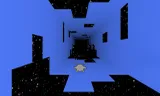
Once the picture breaks, the camera swings round behind your bat and the same game runs down a mirrored checkerboard floor under a synthwave sun. After that, Tennis moves on every few hits of yours: a flat-out race down a tunnel of signs that rolls over each time you return the ball, a slow fall into a fractal that never ends, a side view over a television that changes channel with every hit, and a mid-nineties desktop where the bats are windows, the ball is a compact disc and every return earns you an error message.
It all ends in blue, as old computers always did, and then comes multiball. A giant fist hangs at the far end of a kaleidoscope, every ball you hit becomes two, and every ball that gets past you is a point to them. Survive that and one last ball comes to your bat, the fist goes, and Tennis is plain old Pong again as if nothing happened.
Tips and Tricks:
- Keep returning: Each part moves on after a few of your hits, and if you keep missing it moves on by itself after a short while.
- Use the mouse in 3D: The bat goes straight to where the mouse points, which is the quickest way to cover the court once it has depth.
- Turn the sound up: The music changes as the game does, and the developer says this one goes to eleven.
What Are the Controls for Tennis?
- Move the bat: mouse, arrow keys or W, A, S, D
- Touch: drag a finger anywhere and the bat follows, so your hand never covers it
- Serve: the first click, tap, Space or Enter
- Restart: the Again button resets the score
- Sound: tap the speaker to mute, hold it or right click it for the volume
Features
- Nine parts, from plain Pong to a fractal fall, a TV channel hopper and a 90s desktop
- A 3D court on a mirrored checkerboard floor under a synthwave sun
- Multiball against a giant fist, with up to 110 balls in play
- Seven TV channels, an announcer and a soundtrack that changes with each part
- Mouse, touch and keyboard controls
For more classic paddle play, try Retro Ping Pong or Atari Breakout.
Tennis FAQ
Who made Tennis?
Tennis was made by Six Finger Punch.
Is Tennis free to play?
Yes. Tennis is free to play on HahaGames, and you don't need an account.
Can I play Tennis on a Chromebook?
Yes. Tennis runs in the browser on Chromebooks, Windows PCs and Macs, with nothing to download or install. It works on phones and tablets too.