














Biblox Online
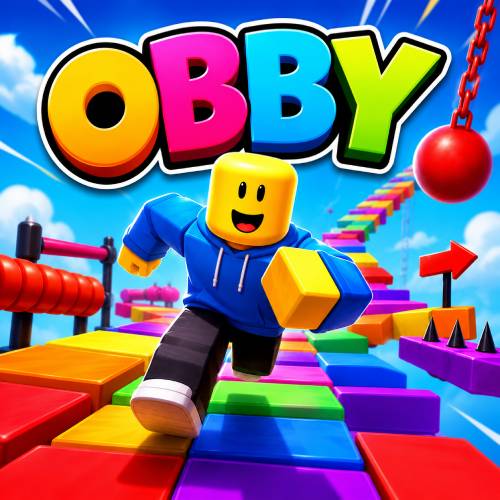
Biblox Online is a collection of blocky mini-games: an obby, a speed simulator and a tycoon in one place.
Each one is its own world to explore, from dizzying obstacle courses to a base you build up into a huge building.
How to Play Biblox Online?
Pick a mini-game and jump in. In Mini Obby you get past dizzying obstacle courses that test your agility and parkour skills. In Speed Simulator you run, collect speed particles and get faster with every step. In Color Tycoon you buy upgrades for your base, get items and build a huge building.
The developer lists one set of controls for Biblox Online: W, A, S, D to move and Space to jump on a computer, and on-screen buttons on a phone.
Tips and Tricks:
- Warm up on speed: Speed Simulator is the gentlest start, and running fast helps on the obby courses too.
- Jump late: On the obby, jump at the edge of a platform, not before it.
- Upgrade the base early: In Color Tycoon, the first upgrades pay for the next ones.
What Are the Controls for Biblox Online?
- Move: W, A, S, D
- Jump: Space
- On a phone: the on-screen buttons
Features
- Three mini-games: Mini Obby, Speed Simulator and Color Tycoon
- Parkour obstacle courses
- A character that gets faster with every step
- A tycoon base to upgrade and build up
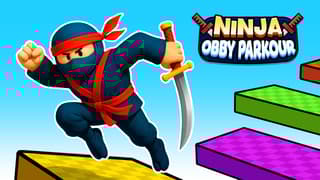
If you like the obby in Biblox Online, try Obby Blox Parkour, or click your way up in Roblox Clicker.
Biblox Online FAQ
Who made Biblox Online?
Biblox Online was made by Mirra Games.
Is Biblox Online free to play?
Yes. Biblox Online is free to play on HahaGames, and you don't need an account.
Can I play Biblox Online on a Chromebook?
Yes. Biblox Online runs in the browser on Chromebooks, Windows PCs and Macs, with nothing to download or install. It works on phones and tablets too.