




Hahagames logo
game image Jump Dash
game image Curve Rush
game image Geometry Dash Meltdown
game image Geometry Dash World
game image Wave Dash
game image Love Tester
game image Geometry Vibes
game image Flappy Dunk

Bomb It 6

Like
Dislike
Share
Theatre mode
game image Geometry Arrow
Hothot icon
game image Slope
game image Veck.io
Hothot icon
game image Bloxd.io
Hothot icon
game image Basketball Stars 2026
game image RocketGoal.io
game image Basket Random
game image Stickman Kombat 2D
game image Smash Karts
game image Baseball Bros
game image 2v2.io
game image Stunt Multiplayer Arena
game image Geometry Dash Wave Spam
Hothot icon
game image Geometry Arrow 2
game image PokeRogue
game image Curve Rush 2
game image Dino Game
game image Famidash
game image Slope 2
game image Taiko Web
game image Among Us: Online Edition
game image Impostor
game image Golf Orbit
game image Granny
Hothot icon
Like
Dislike
Share
8.57 votes

Bomb It 6

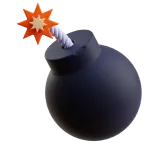
Place bombs to destroy blocks and blow up your opponents in Bomb It 6 — an extraordinary 2D action-packed arcade game. Inspired by a 50-year-old video game classic Bomberman, this updated and upgraded version is skillfully visually designed to be especially attractive for kids.

Don’t let this fact mislead you to think that becoming good at this game is some child’s play. The skill cap is very high, and it takes a while to figure out all the game mechanics and incorporate them into your play style. There are unique power-ups, weapons, and even vehicles to pick up and use in some truly ingenious ways.

How to play Bomb It 6

Make sure to read the How to Play instructions before hitting that Start button to learn which power-ups, weapons, and vehicles you may stumble upon. Each bomb placed has a specific detonation timer, so do some counting to approximately figure out how many seconds you’ve got to take cover. Try not to blow yourself up in the heat of battle, which can happen surprisingly often.

What are the controls for Bomb It 6?

You can play Bomb It 6 on both mobile and PC devices, but the 2-player game setting is available exclusively on a PC.

If playing on a touchscreen device, use the joystick on the left to move, and tap the right side of your screen to perform other actions. 

Use arrow keys to move and hit the space to act while playing single-player on a PC. The 2-player controls for P1/P2 are as shown below.

  • Move — WASD/Arrow Keys
  • Action — Space/Enter


Features

  • An exciting Bomberman-inspired action game for kids and adults
  • 5 game modes present unique challenges
  • Unique power-ups, weapons, and vehicles
  • Plenty of gameplay and character customization options
  • Cute animations and vivid graphics

Release date

April 2017

Developer

Azerion Casual Games

Platform

All devices
game image Traffic Jam 3D
Hothot icon
game image Pizza Tower
Hothot icon
game image Race Survival: Arena King
Hothot icon
game image Moto X3M Original
Hothot icon
game image GET YOKED
game image Drive Mad
Hothot icon
game image Deadly Descent
game image E-Life Simulator
game image Run 3
game image Snake 2048
game image Cluster Rush
Updatedupdated icon
game image Drift Hunters
game image Melon Playground
game image Deer Adventure
game image Wacky Flip
game image Traffic Road
game image Veck.io
Hothot icon
game image A Shedletsky POV
game image Pizza Tower
Hothot icon
game image Yenemy
game image Sprunki 2 (Pyramixed)
game image Granny
Hothot icon
game image Bloxd.io
Hothot icon
game image Drive Mad
Hothot icon
game image Slope
game image Traffic Jam 3D
Hothot icon
game image Plants vs Zombies Fusion Edition
game image Geometry Dash Wave Spam
Hothot icon
game image Race Survival: Arena King
Hothot icon
game image Melon Playground
game image Moto X3M Original
Hothot icon
game image E-Life Simulator
game image Golf Orbit
game image Kamen Rider Build Flash Belt
game image Deer Adventure
game image Geometry Arrow
Hothot icon